top of page

StyleShade - Stylized Shading Rig Tool (WIP)

styleshadelogo.png

I'm currently implementing a stylized shading authoring tool inspired by the SIGGRAPH paper:

​​

“Shading Rig: Dynamic Art-directable Stylised Shading for 3D Characters,” Lohit Petikam, Ken Anjyou, and Taehyun Rhee, 2021

​

The project explores how non-photorealistic (NPR) shading techniques can be translated into an artist-facing workflow that allows more intentional control over stylized lighting behavior under deformation and changing illumination.

​

​

Why is this tool needed?

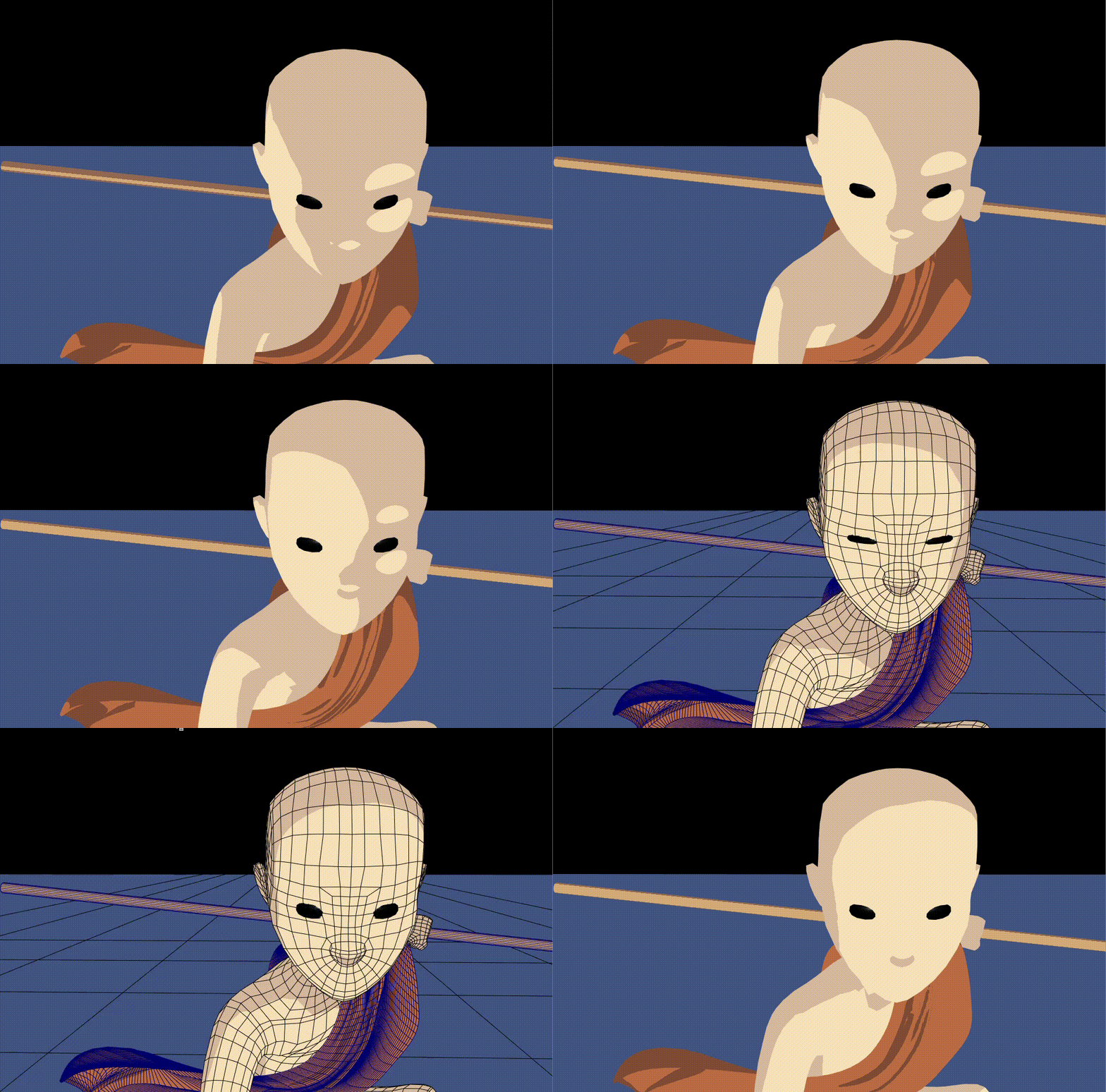
In stylized animation and games, artists often need specific shadow shapes that tell the story -- a shadow under the eye, or a cheekbone shadow that defines their structure. But traditional toon shaders just respond to light mathematically, with no way to art-direct where shadows fall. The result is a frustrating production bottleneck: artists either accept shading they didn't choose, or spend hours manually painting corrections frame by frame -- work that breaks the moment the light moves or the character animates.


How does this tool help alleviate this issue?

StyleShade gives artists direct control over shadow placement, like a rig for shading. Place a controller, shape the shadow, and the system keeps it there, even as lighting changes and characters move. Furthermore, artists will be given the ability to pre-animate (or preset via keying) how the shadows look at certain light angles, so when the character receives light at a certain angle, the custom shadow shapes will animate on their own without manual keyframing. 

​

This reframes stylized shading as a riggable system rather than a purely lighting-driven result.

​

Who is this tool for?

This tool is for artists and animators working in a toon or cel-shaded style who want intentional, art-directed control over shadow placement rather than relying on physically-based lighting. It saves the time and effort of manually adjusting shadows frame by frame by automating the process through a keyframe-driven system.

User Workflow:​​

Select a mesh and click Assign StyleShade Shader. The mesh gets the StyleShade toon material, establishing a cel-shaded base.

Select the mesh that you want to apply shadow shapes to, and click Create Shadow Locators to place a locator in the viewport (organized in Groups by mesh). Adjust its position and parameters (anisotropy, sharpness, bend, bulge, rotation, radius) in the Channel Box to shape the shadow to your liking. Repeat if necessary.

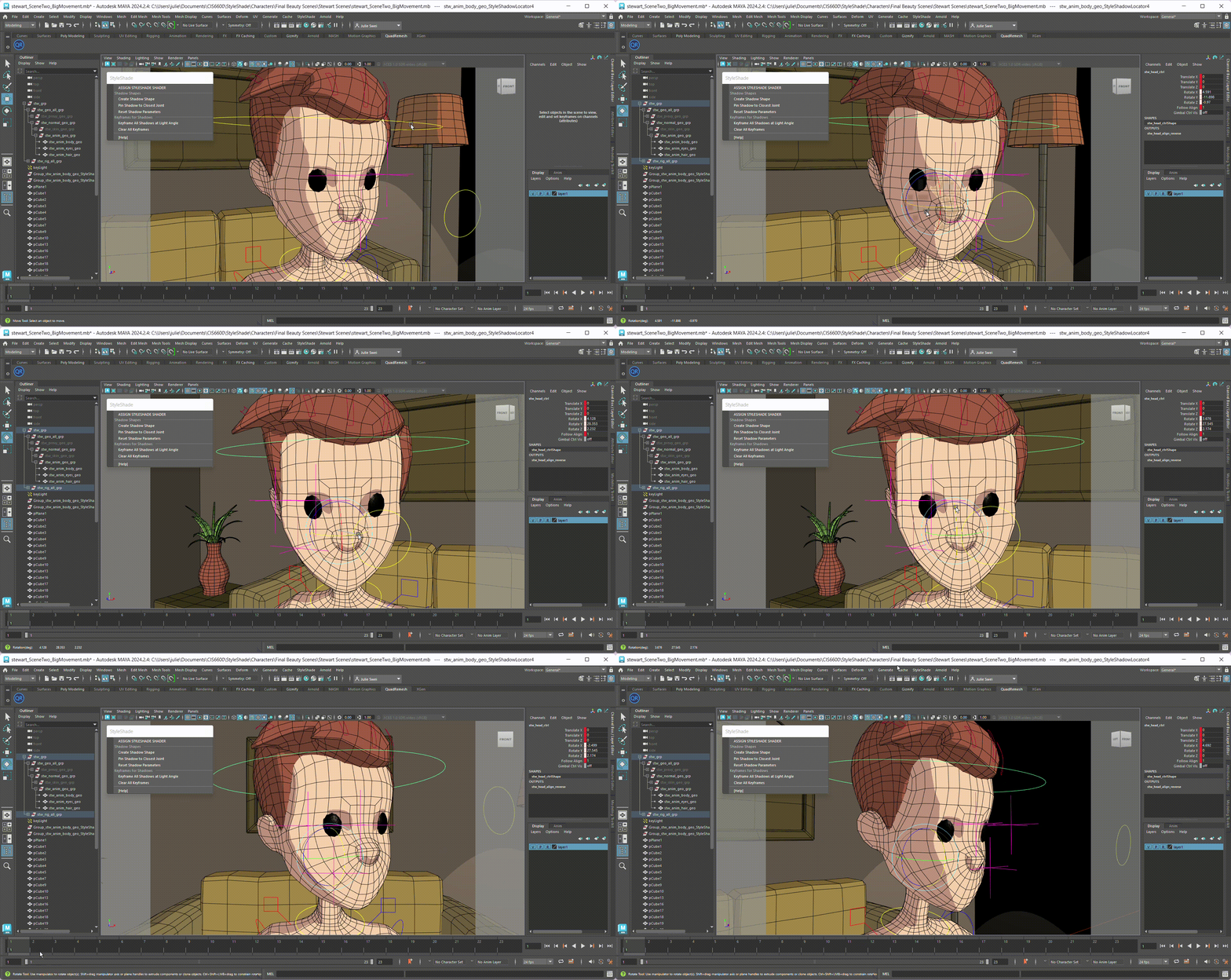
To have the custom shadow shapes also react to light direction in an art-directed way, the user must set up presets by keying the shadow shape states. Set the light to a starting angle, press Keyframe at Light Angle, rotate the light to a new angle, and press it again. Locators will interpolate their positions and parameters between the two keyframes automatically when the light direction changes, without having to manually transition them.​

To have the custom locators follow the mesh when the mesh moves, enable Track Deformation so locators follow the mesh as it deforms, keeping shadows attached to the same part of the character throughout animation.

2_wlightdir.png
1_wlightdir.png
  • Implemented a toon-style shader with threshold-based shadow regions

​

  • Connected shadow behavior to light direction, allowing shadows to shift predictably as lighting changes within the viewport (directional light, Maya-user friendly)

​

  • Built a simple UI system for assigning the shader to a mesh (and creating scene's key light), creating shadow locators, and keyframing light angles. Most buttons and controls take advantage of Maya's existing UI (Attribute Editors, menus), to create a simple usage process. Locator parameters show up as keyable sliders in the Channel Box automatically, which means artists use familiar Maya workflows rather than a custom panel.

7.png
8.png
9.png
11.png
10.png

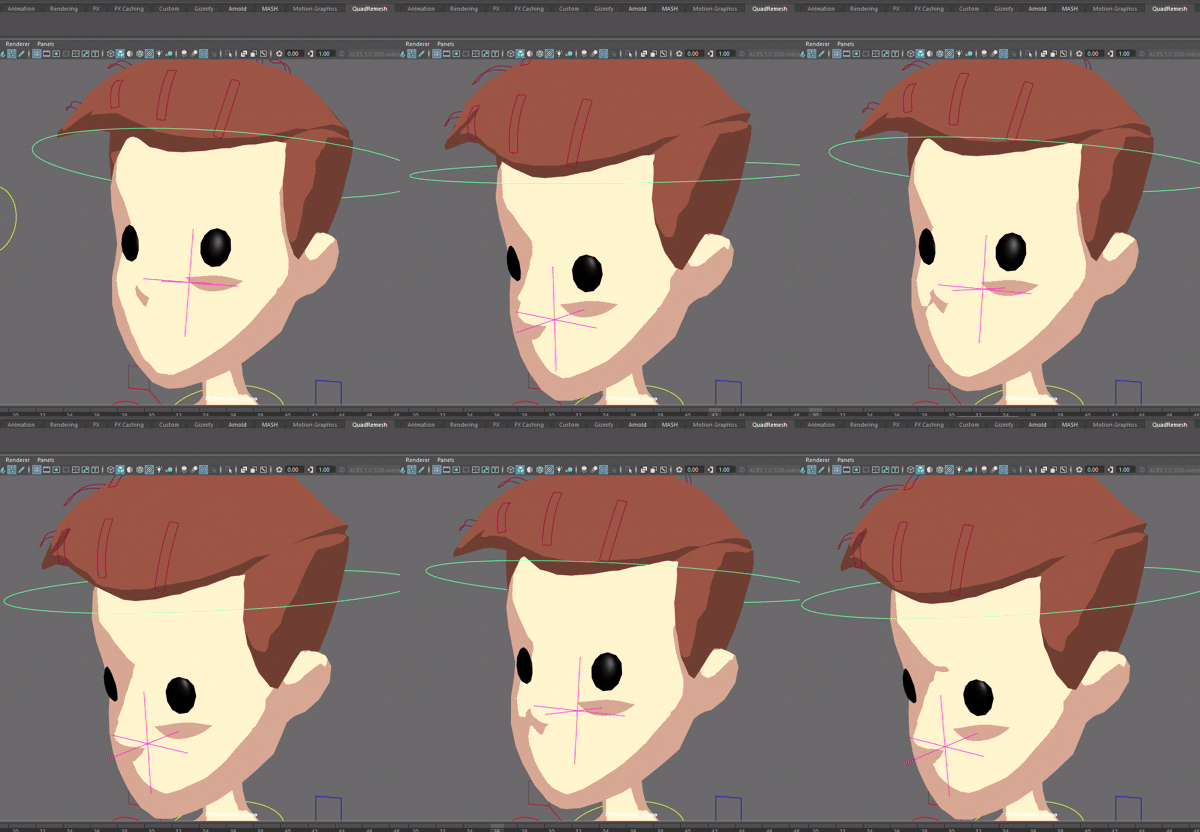
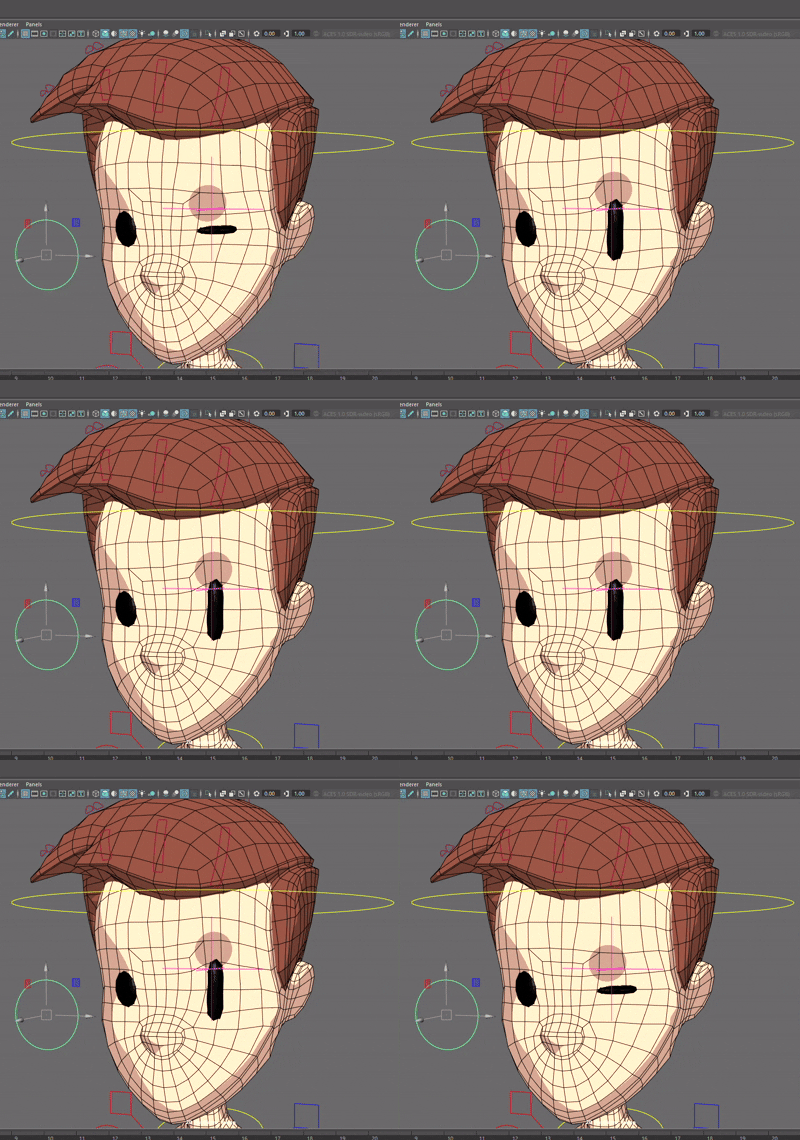
Above: Various shadow shapes created by ​a mix of parameters (anisotropy, sharpness, bend, bulge, rotation, radius) per-locator.

​​

The locators (locator objects) are placed by the user in the Maya viewport by selecting the mesh then clicking the Create Shadow Locator button. Each locator stores its parameters as keyable attributes and is tagged with which material it belongs to.

​

​

Every frame, the system collects each locator's world position, parameters, and inverse world matrix, then pushes them to the GLSL fragment shader as named uniforms. Up to 10 locators are supported per material, but can be extended by just a quick value change. This essentially means the shader will be updated after each change at mouse-release.


The shadow shape is overlayed on top of the base toon shader using layered compositing: starting from the base toon shading, each active locator's shadow is transformed into local space, warped, and alpha-composited on top. Effectively "placing it on top of" our base toon shader.

​

Together with our base toon shader, the shadow shapes on top of the mesh would appear like this:

​​​

5.png
6.png

Before locator (shadow shape) placement 

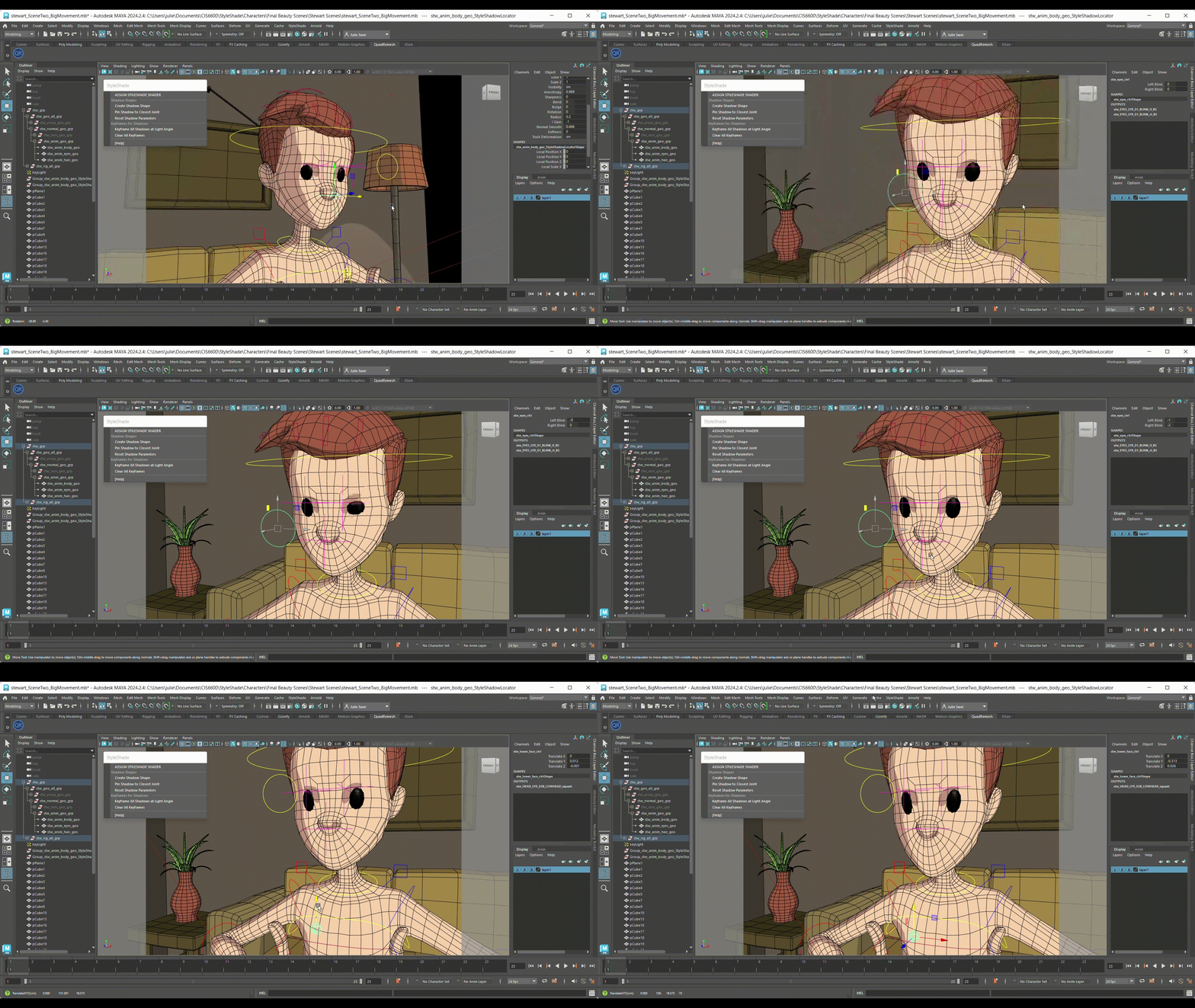
After locator (shadow shape) placement 

12.png

Different locators on different parts of the character

​Next steps [WIP]...

  • Keyframable Locator states

  • Interpolation between keyframed states (light direction dependent, so as light direction changes, the shadow shapes from the locators would adjust automatically)

  • Deformation tracking (so the locators would "stick" to the character and the surface, so when the character animates and moves, the shadows will naturally follow)

  • Masks, more control

.

.

.

Asset credits: Boy model (KaosVS), Stewart rig (Animation Mentor)

Animation, poses, motion study

1minutes.jpg
Sketches.jpg

1 min. life drawings + pose drawings (with emphasis on line-of-action)

Body dynamics, posing character rigs with expression

Stella Poses.jpg
Poses2.jpg

Character body mechanics animation studies

bottom of page